 Kimai
Kimai
Open Source · Made in Austria
Time tracking for project-driven teams
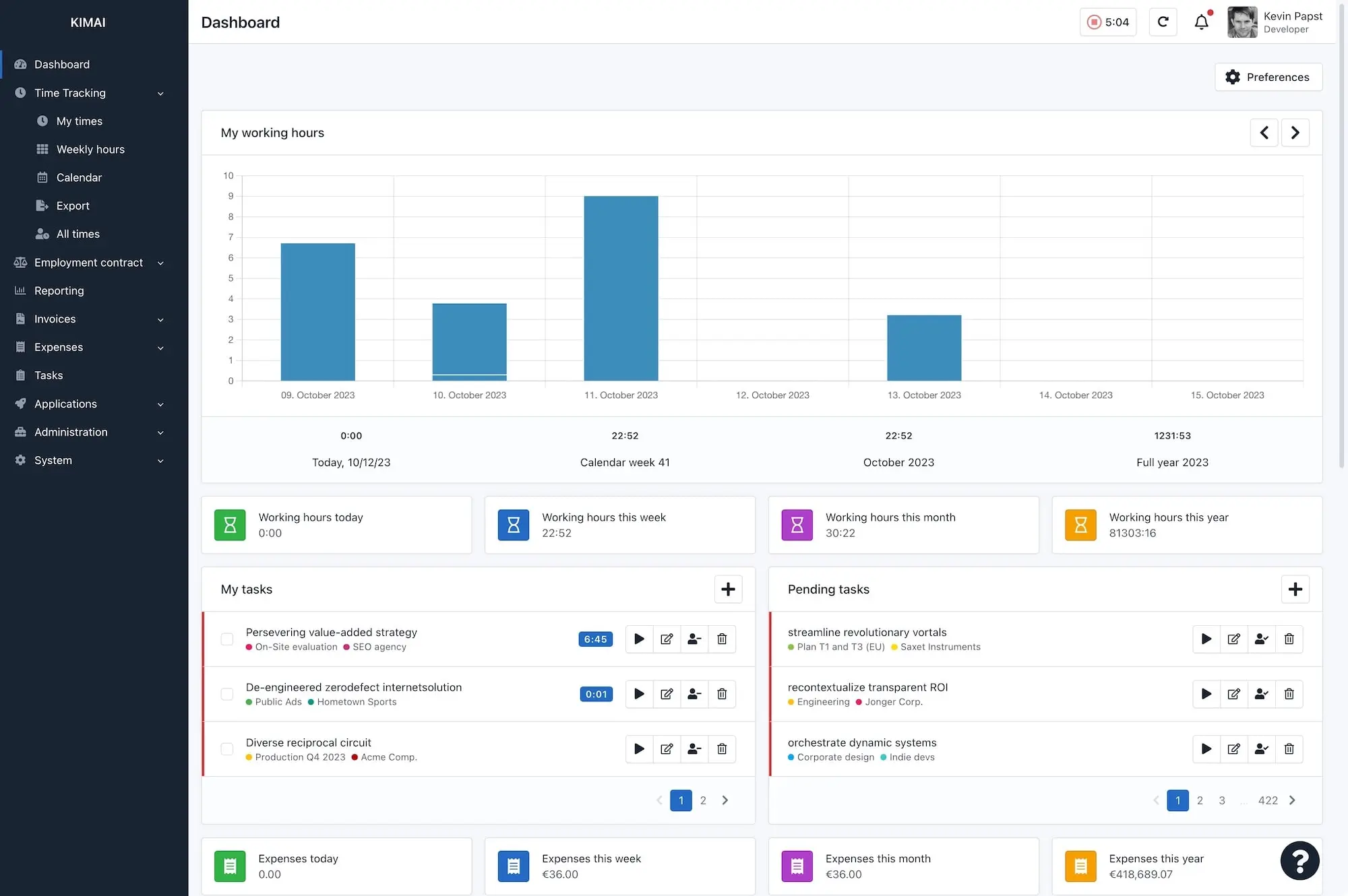
Our open-source platform is designed to keep track of and analyze your company's time-data, making it perfect for businesses of all sizes. Kimai helps you keep an eye on time and money.





Choose your path
Cloud or self-hosted.
You decide.
Same powerful features, different deployment. Pick what fits your team.
Kimai Cloud
Fully managed, always up-to-date. We handle the infrastructure so you can focus on work.
- Instant setup, no server needed
- Automatic updates & backups
- GDPR-compliant EU hosting
- Priority support
- Plugins included
Self hosting
Full control over your data and infrastructure. Deploy on your own server with Docker or manually.
- 100% open source (AGPL 3)
- Full data ownership
- Docker & manual install
- Community support
- Plugin marketplace
We particularly appreciate its clarity, evaluability, and ease of use.
Johannes Mertens
Entwickler , Fairtrade Deutschland e.V.
None of the proprietary solutions had the functionality and simplicity of Kimai.

Jeremy White
Founder , CodeWeavers
I needed to find a good time tracker on short notice, and wanted it to be EU hosted and open source. Luckily, I found Kimai and have been very happy with it ever since

Brian Osborn
Executive Director , Linux New Media
Supports your business
Kimai has all the business core features you need to setup your time-tracking workflows and integrate it with your existing infrastructure.
Authentication and Security
Kimai supports external identity providers and login via LDAP and SAML across multiple providers (such as Google Workspace, Azure AD or Authentik). Two-factor authentication via TOTP tokens is optionally possible.
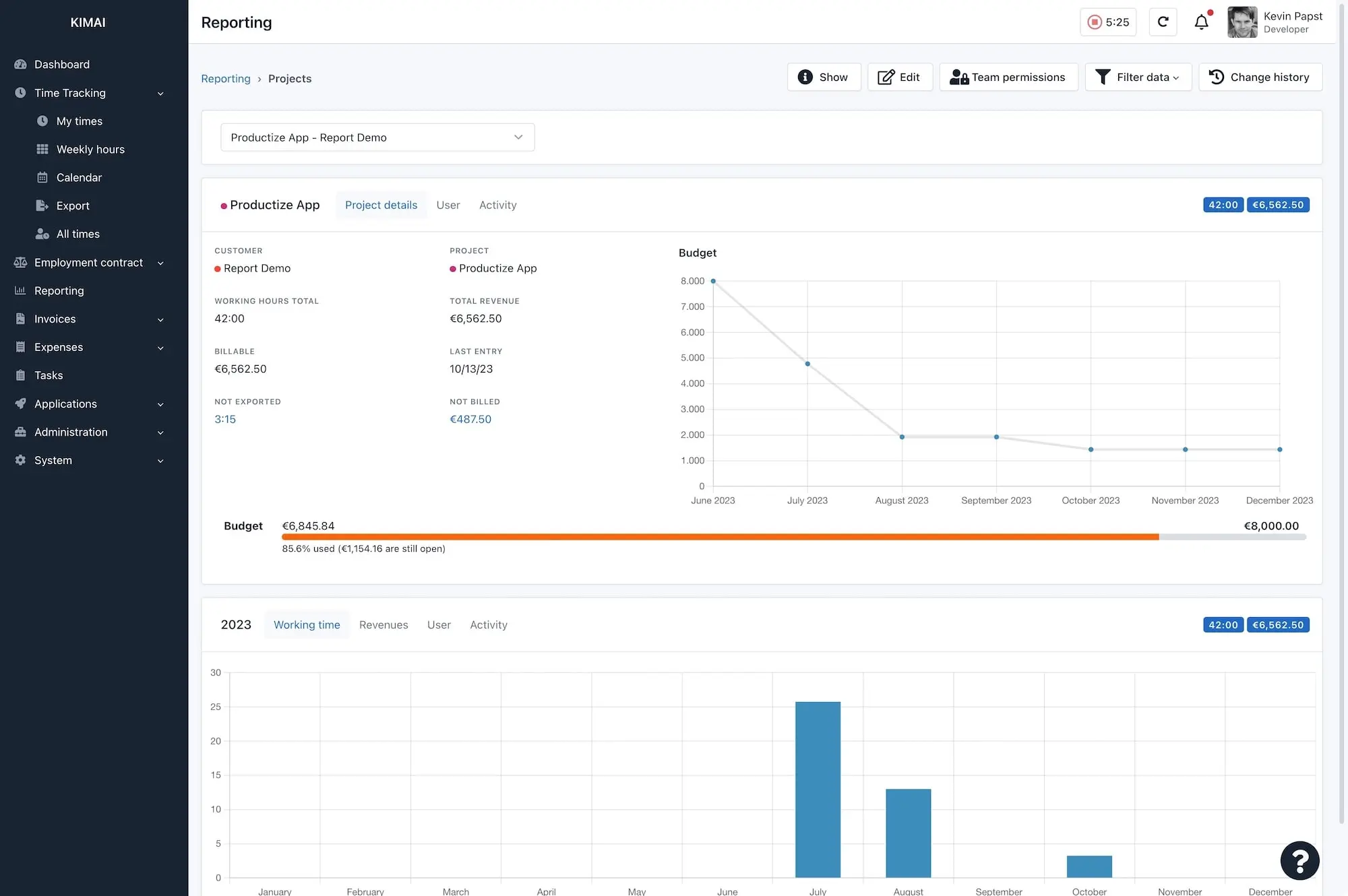
Reports and analyses
Analysis of recorded times by users, customers, projects, activities, tags, time periods and more.
Invoicing
Configurable invoice templates, options for entry grouping, configurable invoice numbers, and multiple formats like PDF and DOCX.
JSON API
Featuring an extensive JSON API for reading and writing data, so external apps and custom tools can communicate with Kimai.
What users say about Kimai
I love how I can combine time tracking, expense tracking, and invoicing into one app without features hidden behind nagging subscriptions. I can click one button to invoice my clients now! Seriously a godsend. Also, the clean UI is well thought-out and simple to learn. Highly recommend this one!

Isaac Mailach
Media Composer, Studio CellistKimai is a super web platform for keeping tracks of our daily work, the interface is clean and very useful, just easy, couple clicks and data, and that is done. we have used since 5 years ago, and the reports are easy to run. only 1 time i have to support a ticket, because we forgot the password!. thanks for all the work here!

Mathias
IT ConsultingI needed to find a good time tracker on short notice, and wanted it to be EU hosted and open source. Luckily, I found Kimai and have been very happy with it ever since, especially because it is very straightforward and intuitive to use. After using it for my initial project, the Kimai team helped me migrate my data for company use, now allowing us to roll it out for the entire team without losing the original data. Keep up the good work!
Brian Osborn
Executive DirectorThe best software for time tracking for freelancers and small businesses. We have been using it for 16 years, first as a local installation, then in the cloud version. It works without any problems or interruptions. Top software, top support! Unique recommendation.

Armin Bittner
GeschäftsführerWhat can Kimai do for you?
Kimai offers much more than just time-tracking, here is a list of other important business functions.